点击删除按钮之后怎么刷新view,点了删除之后,要返回主Activity再进入才能看到被删掉了
如下图:
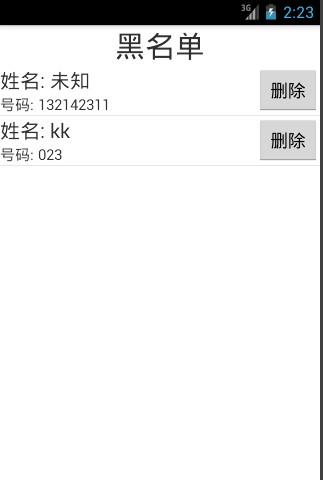
按钮响应在MySimpleAdapter这个类里边...
代码如下:
public class BLShow extends ListActivity{

	Map<String,Object> contacts;
	List<Map<String,Object>> list=new ArrayList<Map<String,Object>>();
	List<Map<String,Object>> list1=new ArrayList<Map<String,Object>>();
	private SimpleAdapter adapter;
	String number,name,time;
	Date date;
	SQLiteDatabase db;
	@Override
	protected void onCreate(Bundle savedInstanceState) {
		// TODO Auto-generated method stub
		super.onCreate(savedInstanceState);
		setContentView(R.layout.bllistshow);

		DatabaseHelper helper = new DatabaseHelper(getBaseContext());
		db = helper.getReadableDatabase();
		Cursor cursor = db.query(DatabaseHelper.BLACKLIST, new String[] {DatabaseHelper.NAME,DatabaseHelper.NUMBER},
				null, null,null,null,null);
		cursor.moveToFirst();
		while(!cursor.isAfterLast())
		{
			name = cursor.getString(0);
			number = cursor.getString(1);
			cursor.moveToNext();

			contacts=new  HashMap<String,Object>();
	        contacts.put("name","姓名: "+name);
	    	contacts.put("number","号码: "+number);
	    	contacts.put("button","删除");
	        list.add(contacts);
	        contacts=new  HashMap<String,Object>();
	        contacts.put("name",name);
	    	contacts.put("number",number);
	        list1.add(contacts);
		}

		adapter = new MySimpleAdapter(this,list,R.layout.listshow,
		            new String[]{"name","number","button"},
		            new int[]{R.id.listshow_name,R.id.listshow_number,R.id.listshow_btn});
		setListAdapter(adapter);
	}

	private class MySimpleAdapter extends SimpleAdapter {
		@Override
		public View getView(int position, View convertView, ViewGroup parent) {
			View view = super.getView(position, convertView, parent);