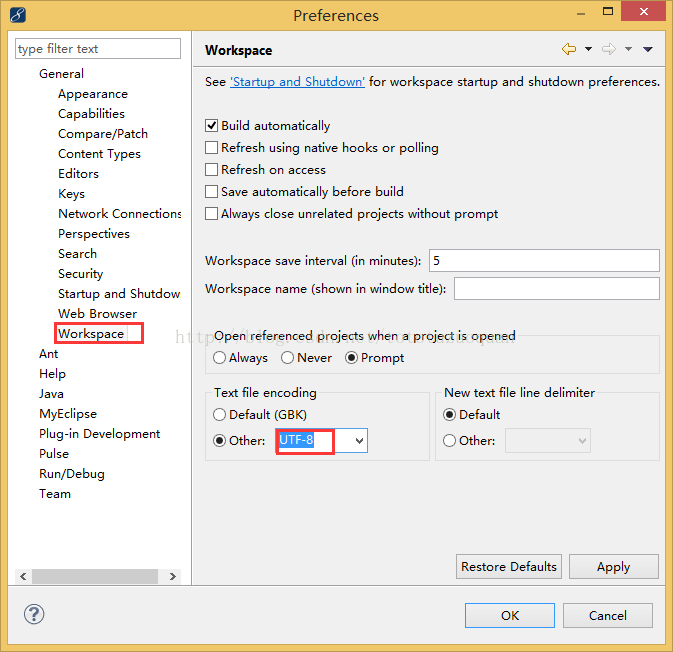
WindowàPreferenceàGeneralàWorkspaceàText file encoding都改成UTF-8
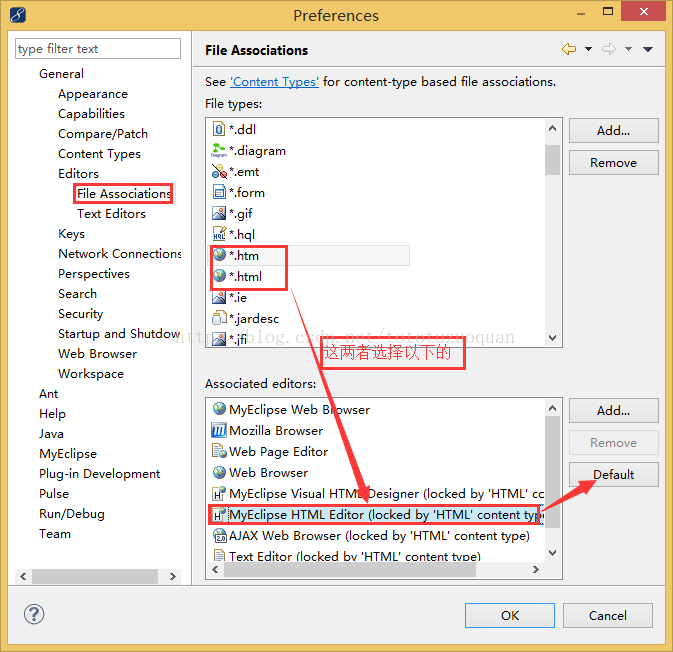
2、WindowàPreferenceàGeneralàEditorsàFile Associationsà修改html和htm的默认Associateeditors为以下的:
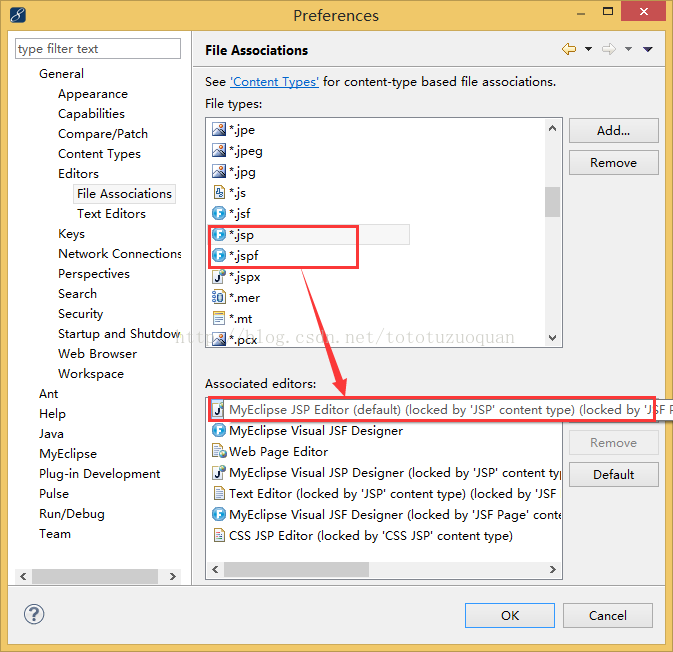
修改jsp的打开方式:
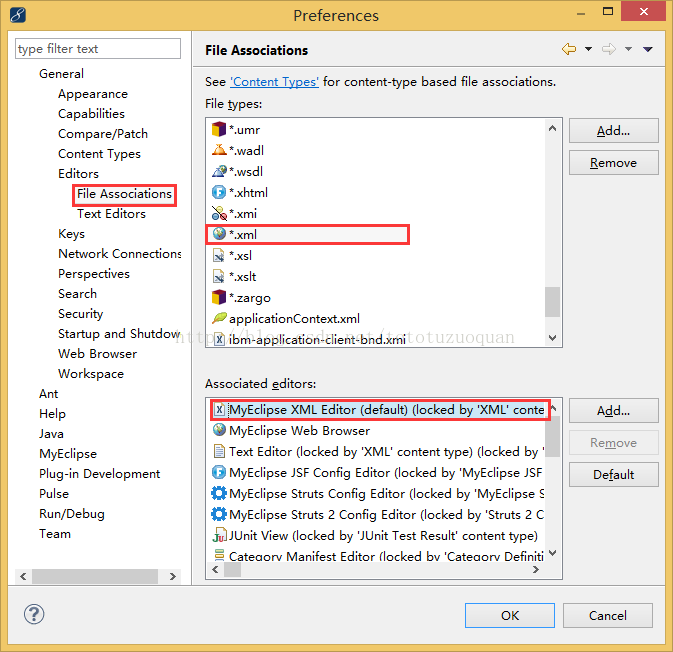
修改xml的打开方式:
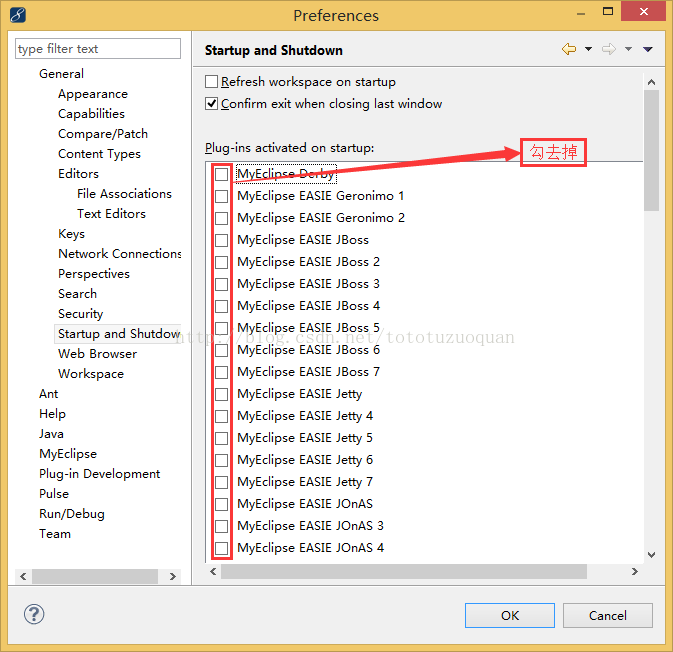
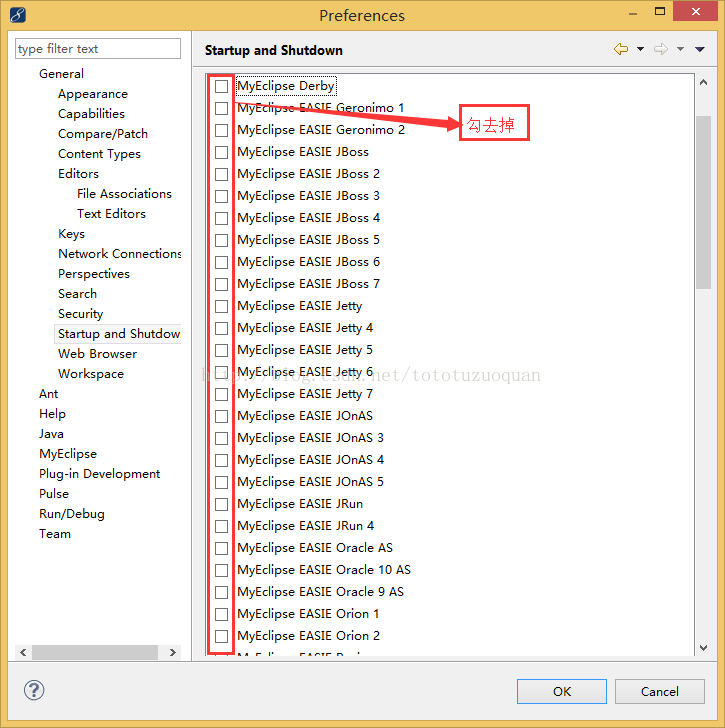
3、修改MyEclipse的启动服务
WindowàPreferenceàGeneralàStartup and Shutdown
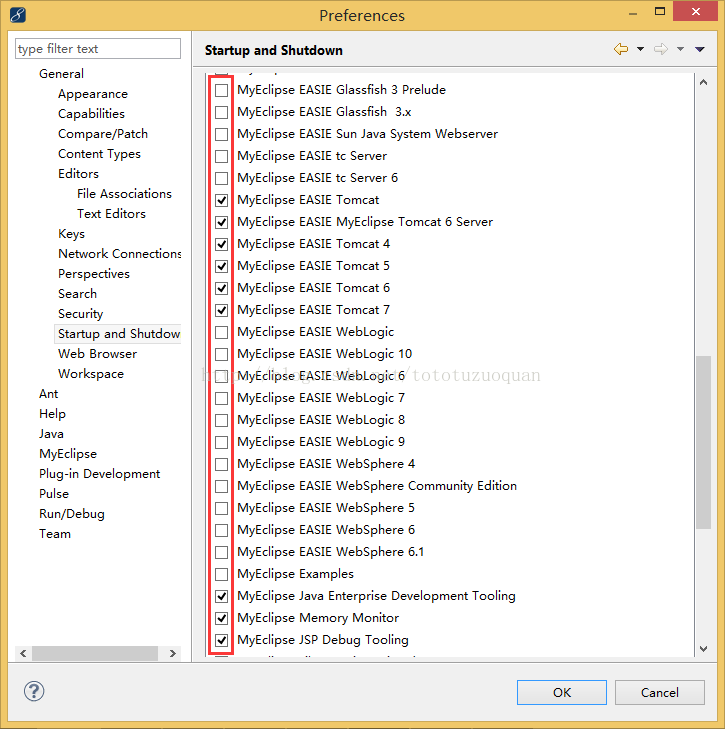
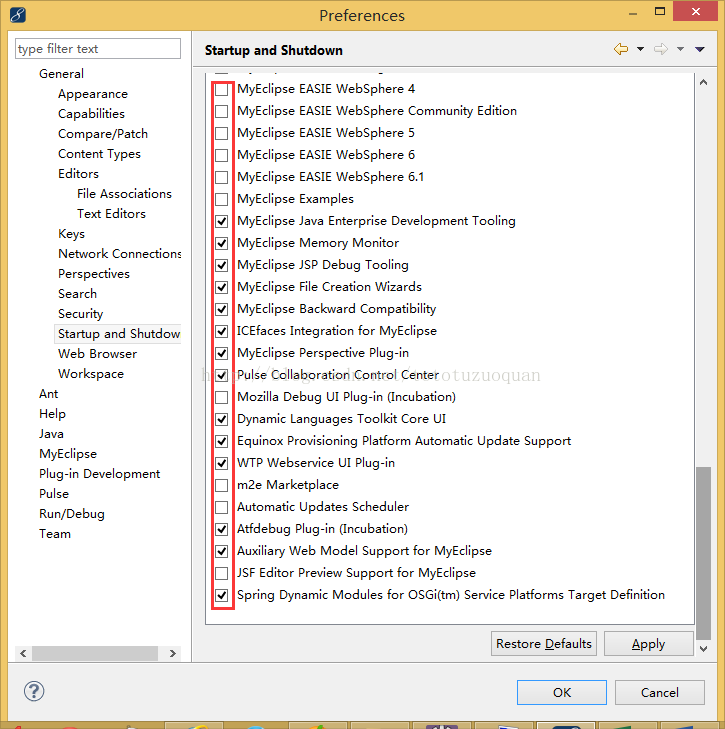
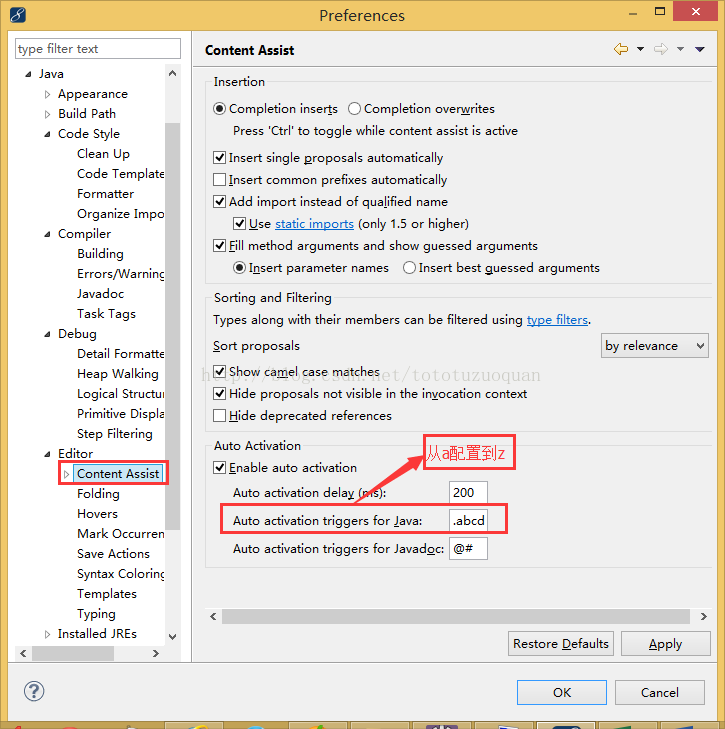
4 WindowàPreferenceàjava-àEditoràContent Assist-à
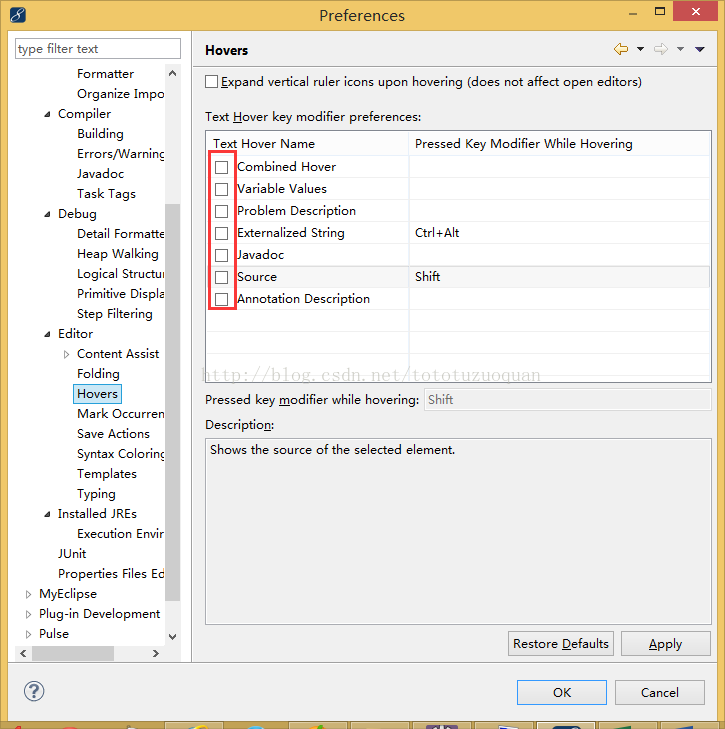
5 WindowàPreferenceàjava-àEditoràHovers右侧的勾全部去掉
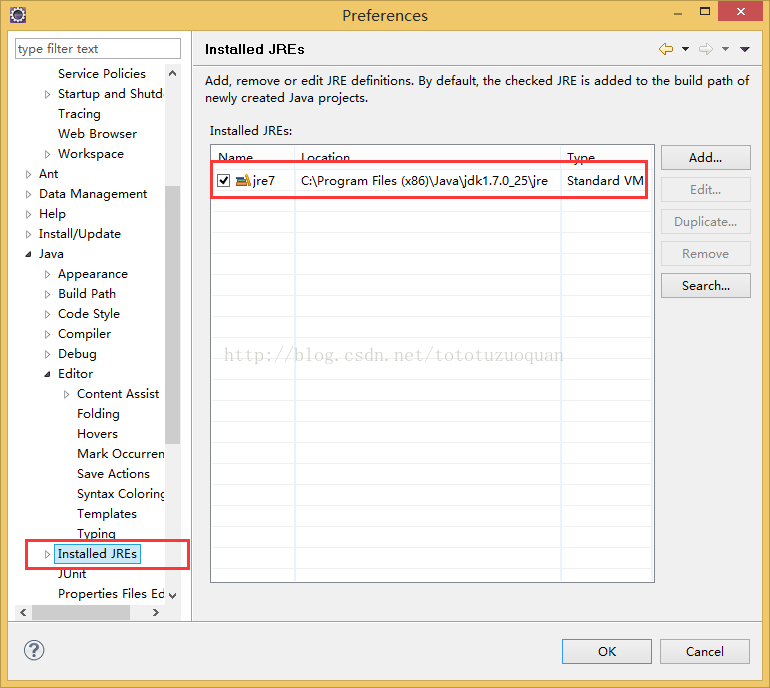
6 WindowàPreferenceàjava-àInstalled JREs—指定要配置的jre
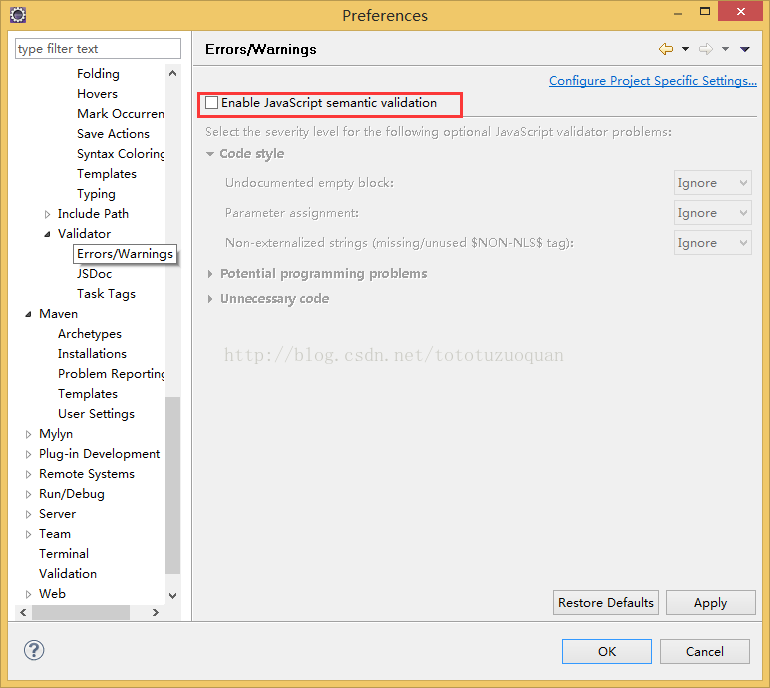
7 若是Eclipse中,修改WindowàPreferenceàjavascript-àValidatorà去掉EnableJavaScript semantic validation
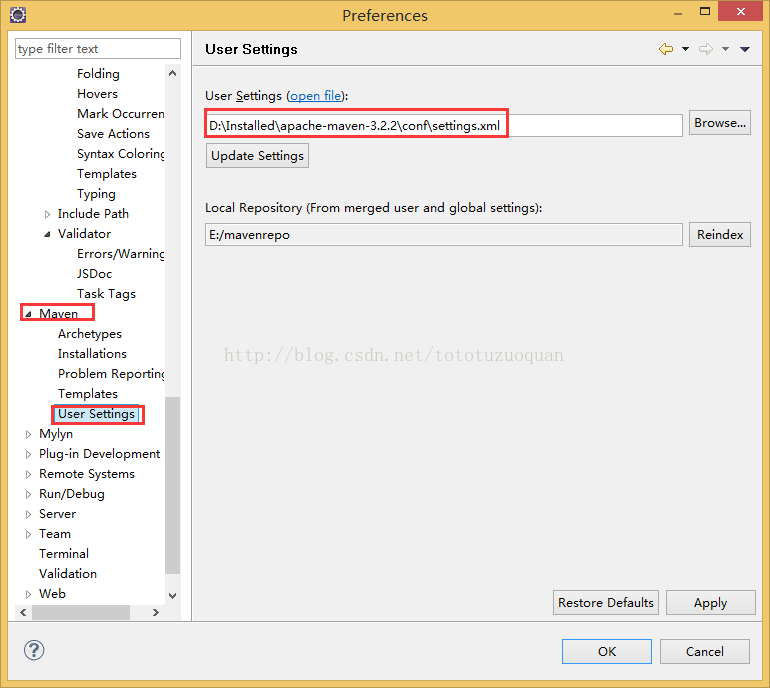
8 若在Eclipse中配置了Maven,自定义setting文件的位置:
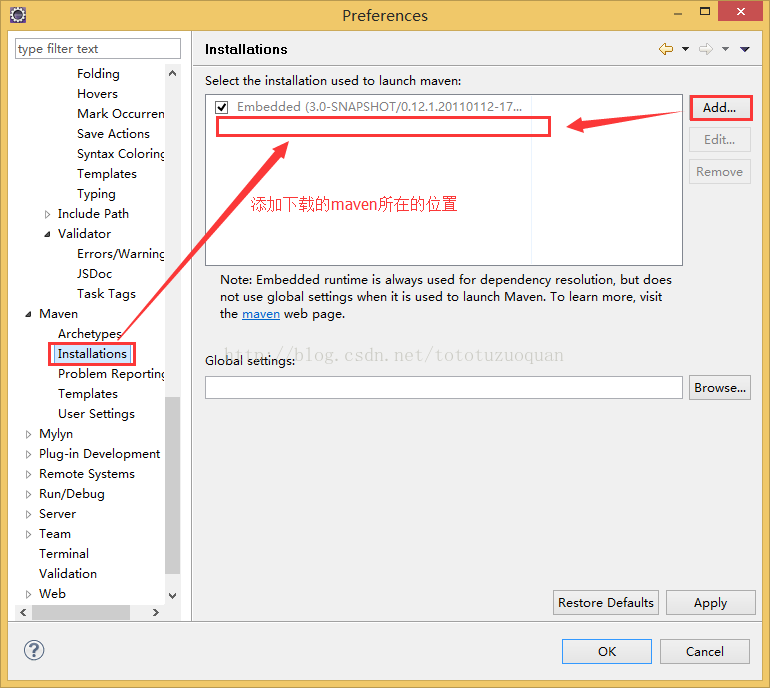
可以指定Maven的默认位置
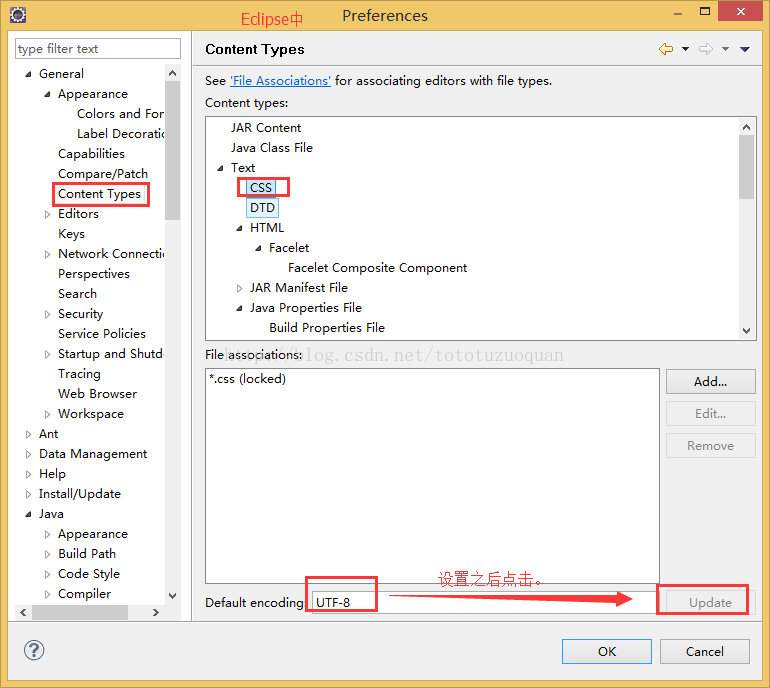
9 修改:WindowàPreferenceàGeneral—>Content Types中的Text下的文件的默认字符集
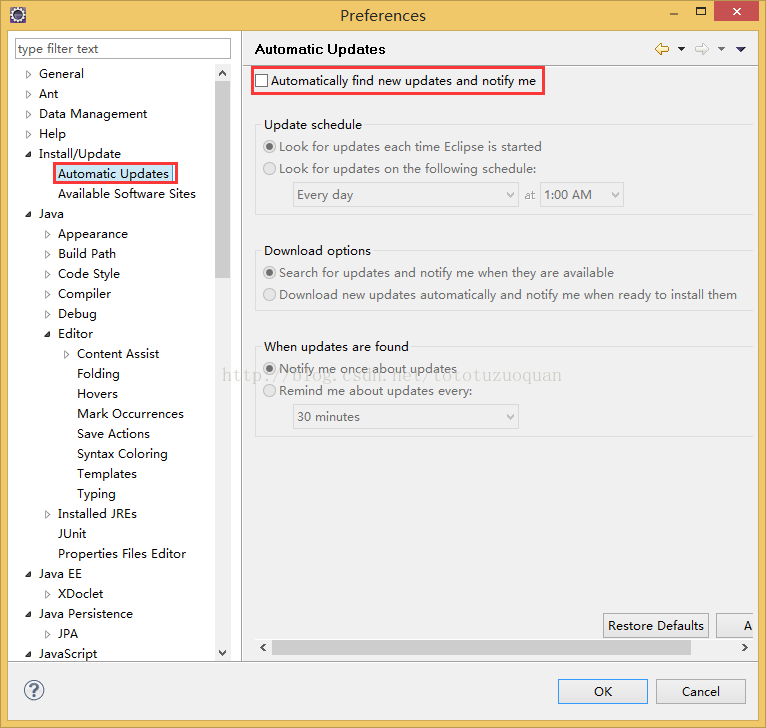
10关于Eclipse中,取消自动更新:
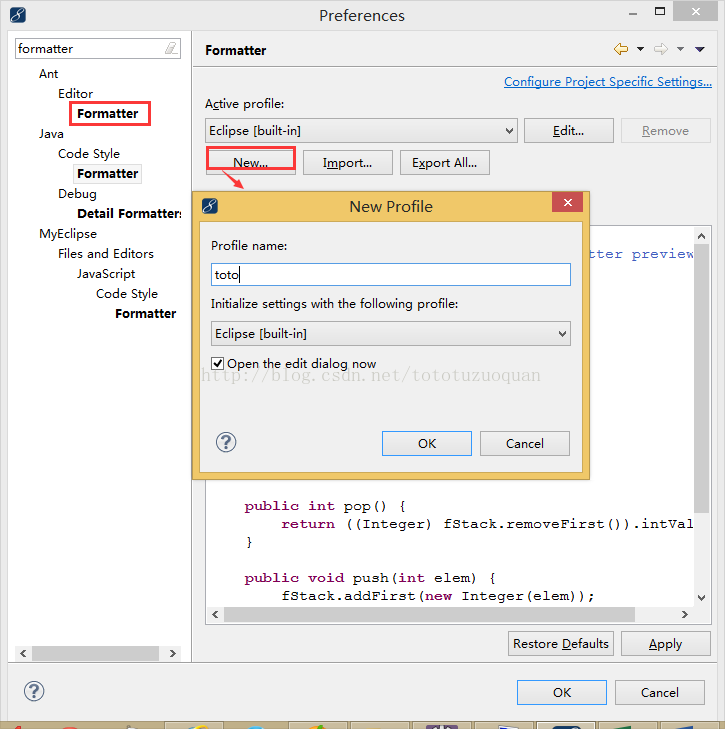
11,修改formatter,最后点击进入修改。
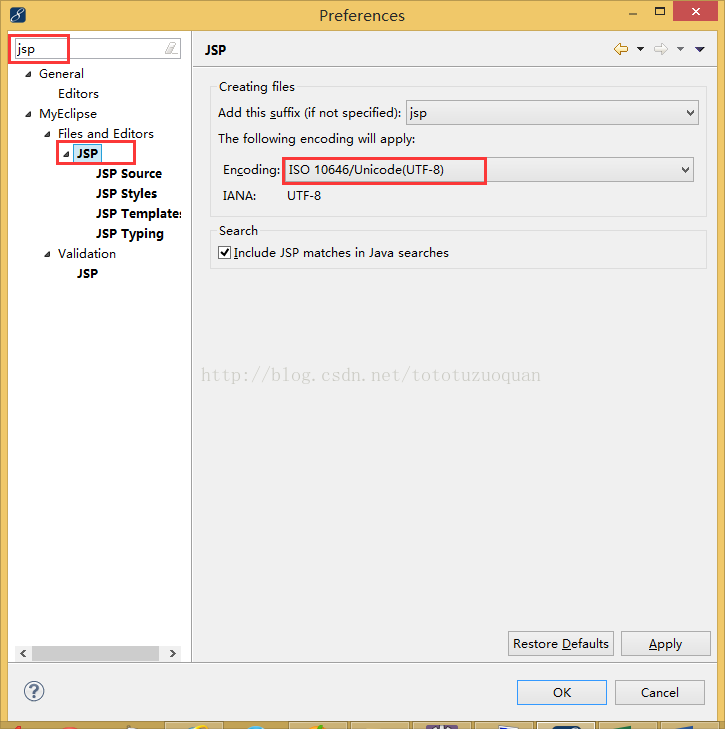
12 修改jsp文件的编码:
13显示项目中的所有文件
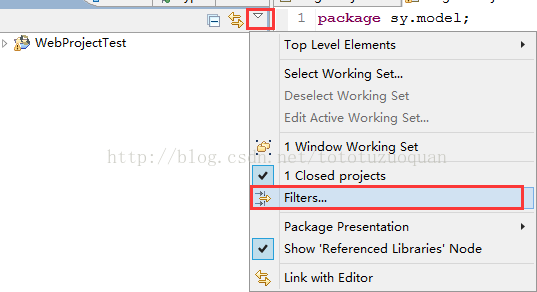
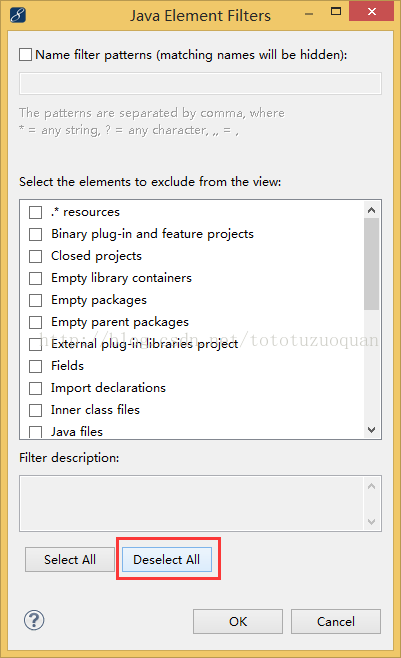
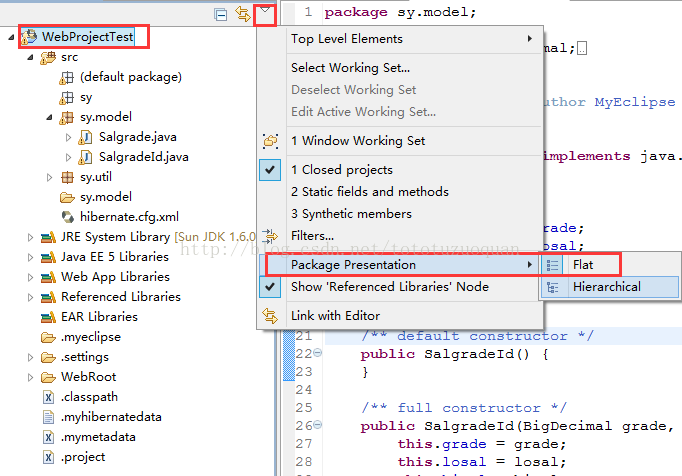
14 显示包的层级结构
15:导入一个maven工程后一直显示importingmaven projects 10%
解决办法如下:
找到eclipse.ini
加入
-vm
C:\Program Files (x86)\Java\jdk1.7.0_25\bin\javaw.exe
再次重启eclipse即可
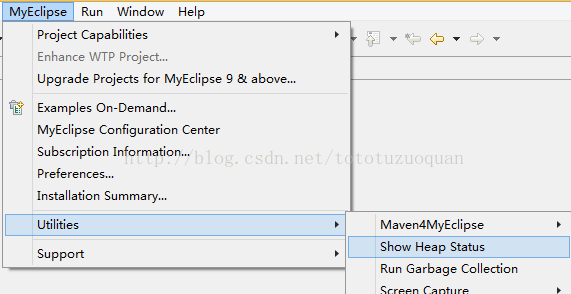
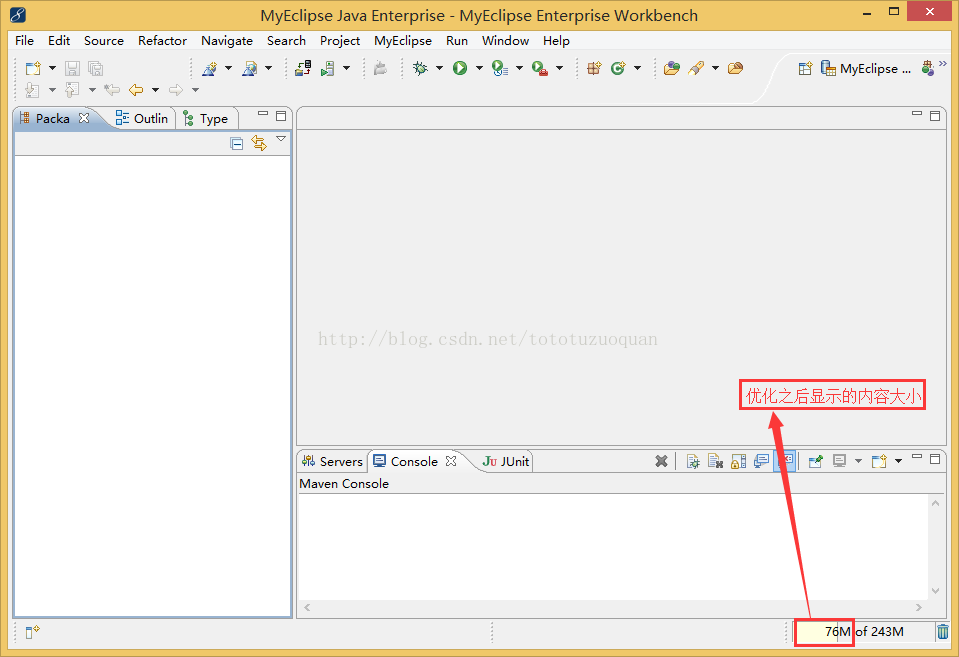
16显示MyEclipse内容监控功能。