修改MyEclipse编辑框背景色
1、未修改之前,编辑框背景色
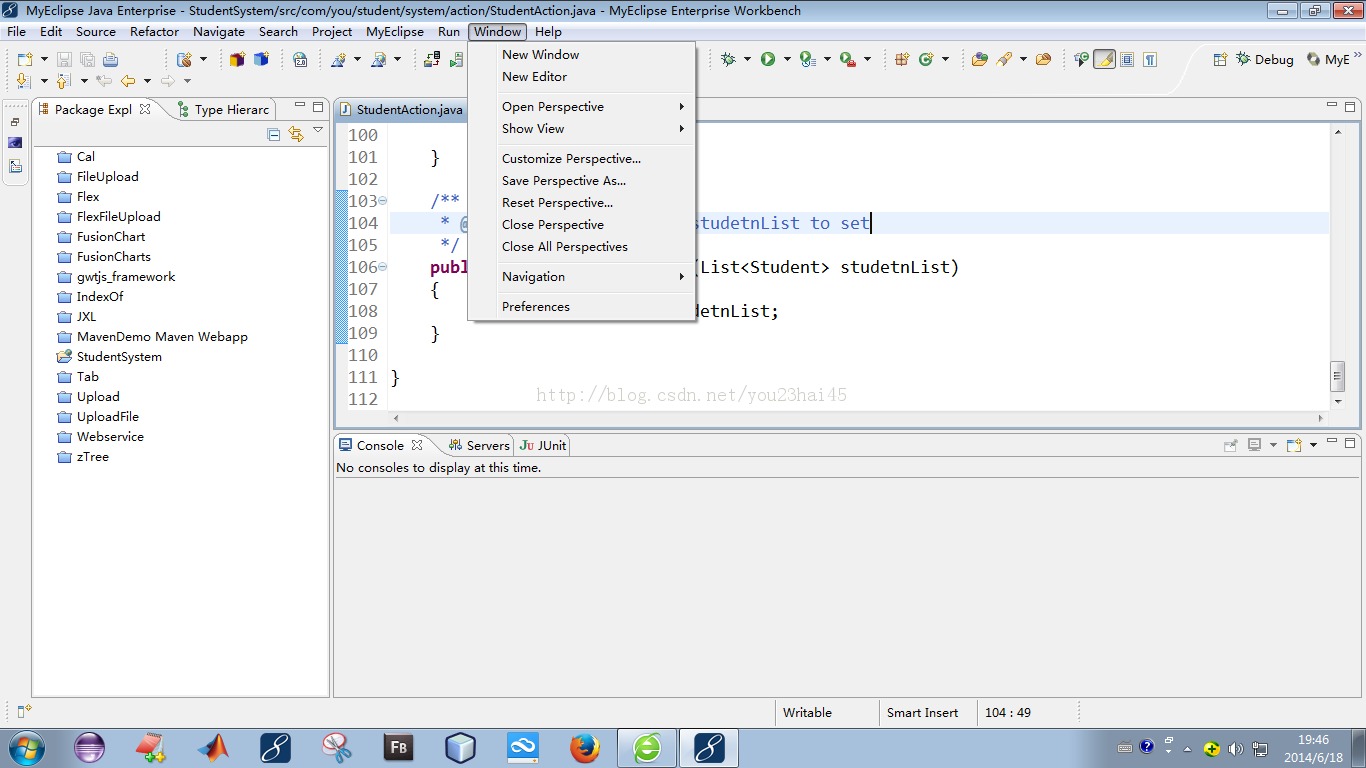
2、依次操作,“Window--->Preferences”
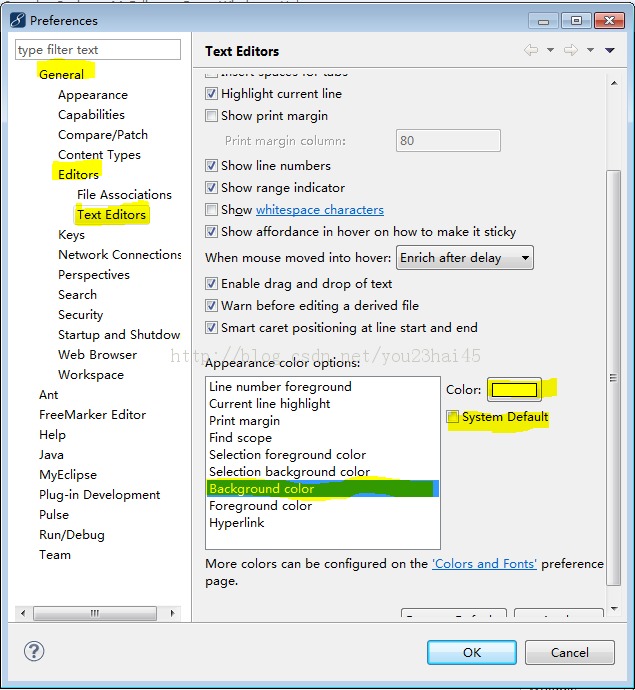
3、选择“General--->Editors--->Text Editors”,
找到右侧的“Background color”,
取消“System Default”,单击“Color”,选中喜欢的颜色
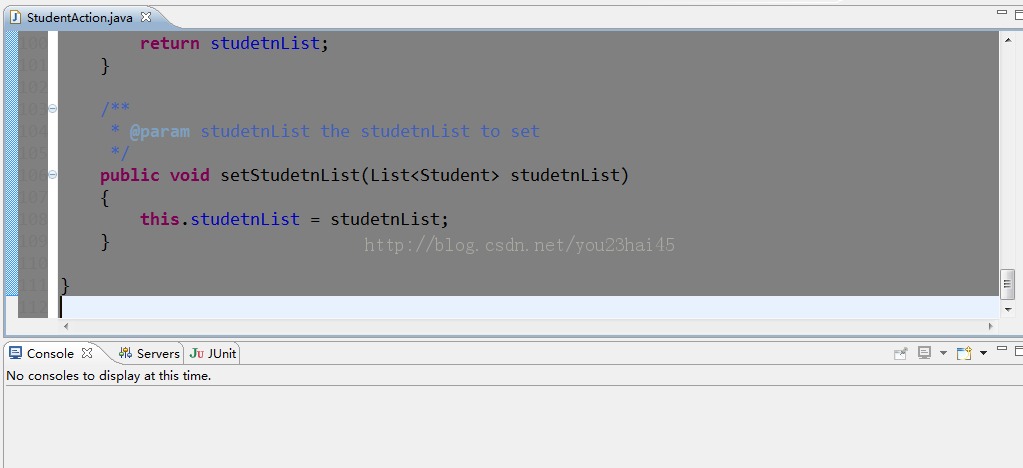
4、选中好颜色后,单击“Apply--->OK”,编辑框背景色为
修改MyEclipse编辑框背景色
1、未修改之前,编辑框背景色
2、依次操作,“Window--->Preferences”
3、选择“General--->Editors--->Text Editors”,
找到右侧的“Background color”,
取消“System Default”,单击“Color”,选中喜欢的颜色
4、选中好颜色后,单击“Apply--->OK”,编辑框背景色为