一、角色管理
单击导航栏上的"角色管理"超链接,跳转到角色管理界面,在该界面上显示所有角色,并提供角色的增加和删除、修改超链接。
1.增加新角色(角色授权)
流程:单击增加新角色超链接->Action查询出所有的权限保存到值栈并转到添加新角色页面->填写表单并提交->Action保存表单->重定向到角色管理Action
技术点:表单提交的权限列表时一个整型数组,需要在Action中进行接收并调用相关方法转换成Rright列表;使用到了一些JQuery技术实现更友好的前端交互。
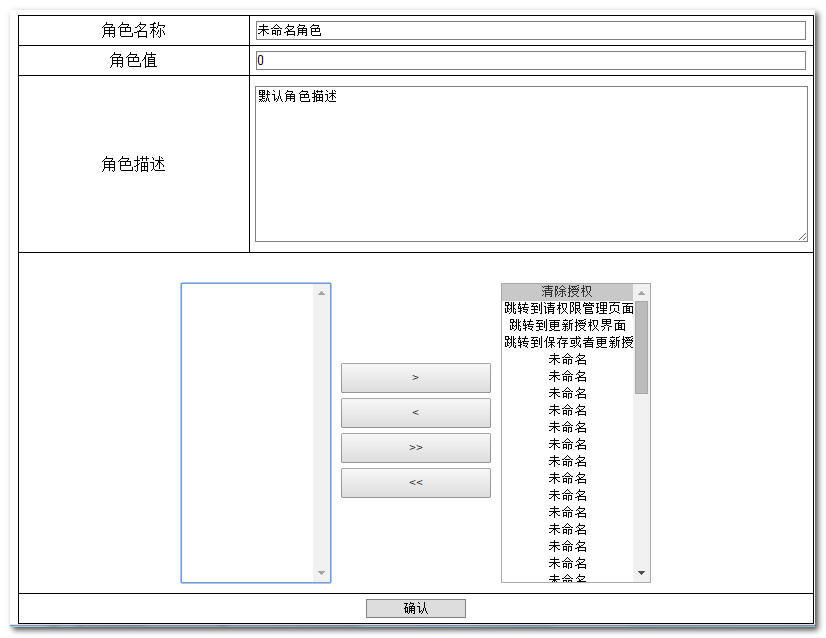
JQuery代码:
1 <script type="text/javascript"> 2 $().ready(function(){ 3 $("button[id='toRight']").unbind("click"); 4 $("button[id='toRight']").bind("click",function(){ 5 var noneOwnRights=$("select[name='noneOwnRights']"); 6 var ownRights=$("select[name='ownRights']"); 7 $("select[name='ownRights'] option:selected").each(function(){ 8 noneOwnRights.prepend($(this).clone()); 9 $(this).remove();10 });11 return false;12 });13 $("button[id='toLeft']").unbind("click");14 $("button[id='toLeft']").bind("click",function(){15 var noneOwnRights=$("select[name='noneOwnRights']");16 var ownRights=$("select[name='ownRights']");17 $("select[name='noneOwnRights'] option:selected").each(function(){18 ownRights.prepend($(this).clone());19 $(this).remove();20 });21 return false;22 });23 $("button[id='allToRight']").unbind("click");24 $("button[id='allToRight']").bind("click",function(){25 var noneOwnRights=$("select[name='noneOwnRights']");26 var ownRights=$("select[name='ownRights']");27 $("select[name='ownRights'] option").each(function(){28 noneOwnRights.append($(this).clone());29 $(this).remove();30 });31 return false;32 });33 $("button[id='allToLeft']").unbind("click");34 $("button[id='allToLeft']").bind("click",function(){35 var noneOwnRights=$("select[name='noneOwnRights']");36 var ownRights=$("select[name='ownRights']");37 $("select[name='noneOwnRights'] option").each(function(){38 ownRights.append($(this).clone());39 $(this).remove();40 });41 return false;42 });43 $("#submit").unbind("click");44 $("#submit").bind("click",function(){45 $("select[name='ownRights'] option").each(function(){46 $(this).attr("selected","selected");47 });48 return true;49 });50 });51 </script>
2.角色修改和添加使用的方法是同一个方法,略
3.角色删除略。
二、用户授权
形式和流程和角色授权完全一致,略。
三、权限的粗粒度控制